
The workday is going well, and then it isn’t—at least not for the eyes.
The letters on the screen lose their edge. You rub your eyes, keep typing, and by late afternoon your eyelids feel heavy.
For people who work at a computer, this can become a familiar part of the day.
Programmers, designers, accountants, researchers, writers and many other professionals spend hours looking at screens. The work is different, but the challenge for the eyes is often similar: long periods of concentration, fewer natural interruptions and less awareness of how often we blink.
And that last part matters more than most people realise.
The problem is not just screen time
When we concentrate on a screen, our blinking can become less frequent and less complete. Blinking helps spread tears across the surface of the eye, so changes in blinking can affect how well the tear film is maintained.
Research has linked prolonged digital screen use with dry-eye symptoms, including dryness, burning, irritation and fluctuating vision. However, dry eye is a complex condition with several possible causes. Screen use is one contributor, not the whole explanation.
This is why two people can spend the same eight hours at a computer and experience very different levels of discomfort.
One may take regular breaks and blink normally. Another may become so absorbed in the work that the eyes receive very little interruption.
The number of hours matters. But what happens during those hours matters too.
Which jobs are most likely to affect your eyes?
There is no profession that automatically causes dry eye. The more useful way to think about the problem is to look at jobs that require prolonged, uninterrupted screen use.
Software developers and programmers
A programmer may spend hours reading code, debugging errors and switching between windows.
The work requires concentration, and it is easy to remain focused on the screen without noticing how long it has been since the last proper blink.

Graphic designers, UI/UX designers and video editors
Designers often work with detailed images, small text, colour differences and precise visual adjustments.
A few minutes can easily become an hour.
The work may feel creative and engaging. The eyes may experience it as prolonged concentration.


Data analysts, accountants and financial professionals
Spreadsheets, dashboards, financial models and reports can require long periods of uninterrupted screen work.
The difficulty is often not one particularly long session, but the accumulation of many hours of visual attention throughout the day.
Writers, editors and researchers
Writing and research can look different from programming, but the eyes face a similar challenge.
A writer may spend the morning reading documents, the afternoon drafting content and the evening reviewing it. A researcher may move between papers, spreadsheets and presentations without spending much time looking away.
The result is often long periods of near work with very little visual interruption.
Customer-service and support professionals
Many customer-service jobs now involve computers for most of the working day.
A support agent may read a customer's message, check an account, update a record and respond—all while remaining at the screen.
The work may not feel visually demanding in the same way as design or programming, but the eyes are still spending much of the day looking at a nearby display.
Teachers, lecturers and other professionals who work with digital documents
Teaching and academic work increasingly involve presentations, online platforms, digital grading and electronic documents.
A teacher may spend part of the day in a classroom and another part reviewing assignments or preparing material on a computer.
This combination can create long periods of screen exposure that are easy to overlook because the work is divided into different tasks.
Why does screen work make the eyes feel dry?
The main issue is often tear-film instability.
The surface of the eye is covered by a thin layer of tears. This layer helps keep the eye comfortable and the vision clear.
When we blink, we refresh and spread that tear film.
But during prolonged screen work, blinking may become less frequent or incomplete. This can increase evaporation and leave parts of the eye exposed for longer.
A review of digital screen use describes blink abnormalities and tear-film changes as important contributors to screen-associated dry eye.
This is also why the symptoms can come and go.
You may feel fine in the morning, begin to notice irritation after several hours, and then feel better after stepping away from the screen.
The eyes are not necessarily becoming permanently damaged. They may simply be struggling to maintain comfort during the task.
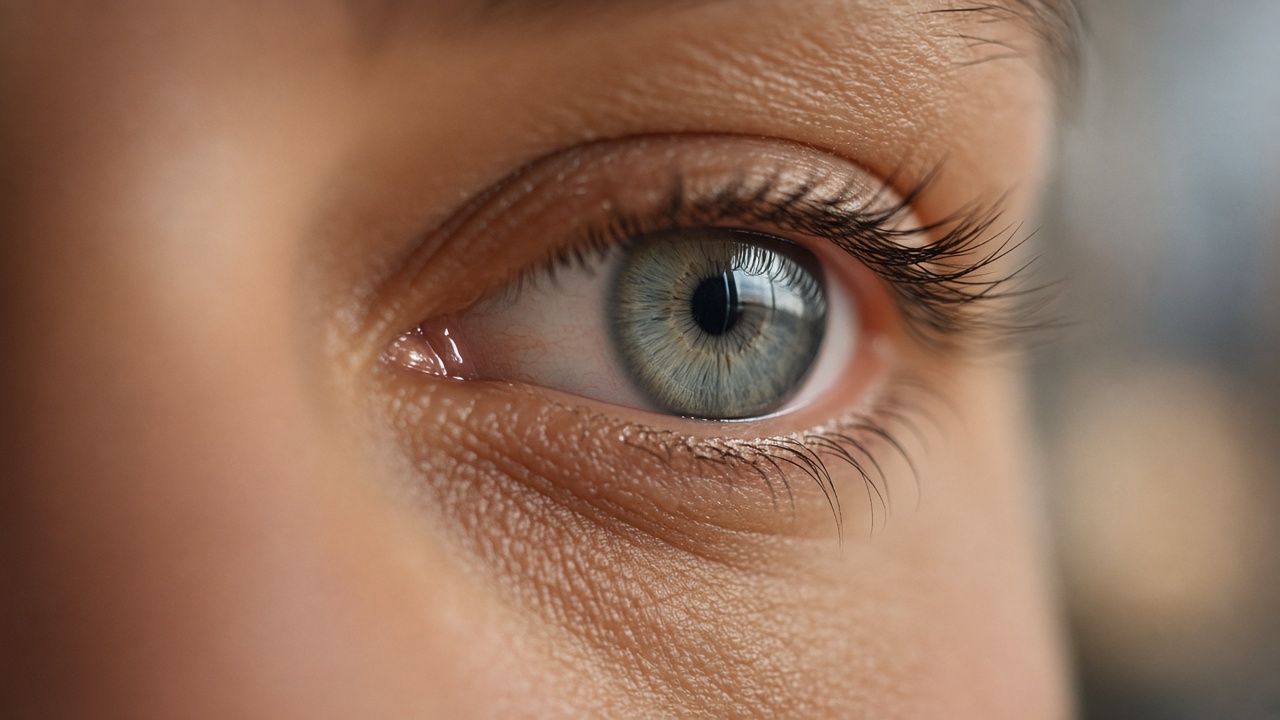
The overlooked part of the problem: blinking
Most people think about screen time in terms of hours.
But hours alone do not tell the whole story.
Two people may spend eight hours at a computer and experience very different levels of discomfort. One may take regular breaks and blink normally. The other may spend long periods concentrating without much visual interruption.
Research suggests that blink behaviour is an important part of the relationship between digital screen use and dry-eye symptoms.
This is where a different way of thinking about eye comfort becomes useful.
Instead of asking only:
“How long have I been looking at a screen?”
We can also ask:
“What are my eyes doing while I am looking at it?”
Eye care begins with awareness
Most of us do not consciously control every blink.
We blink naturally throughout the day, often without thinking about it. But when we become absorbed in a task, that natural rhythm can change.
The problem is that we may not notice the change until our eyes begin to feel uncomfortable.
A reminder to take a break can help, but a reminder based on your actual blinking behaviour offers a different kind of awareness.
It shifts the focus from simply counting screen hours to understanding how your eyes are responding to the work.
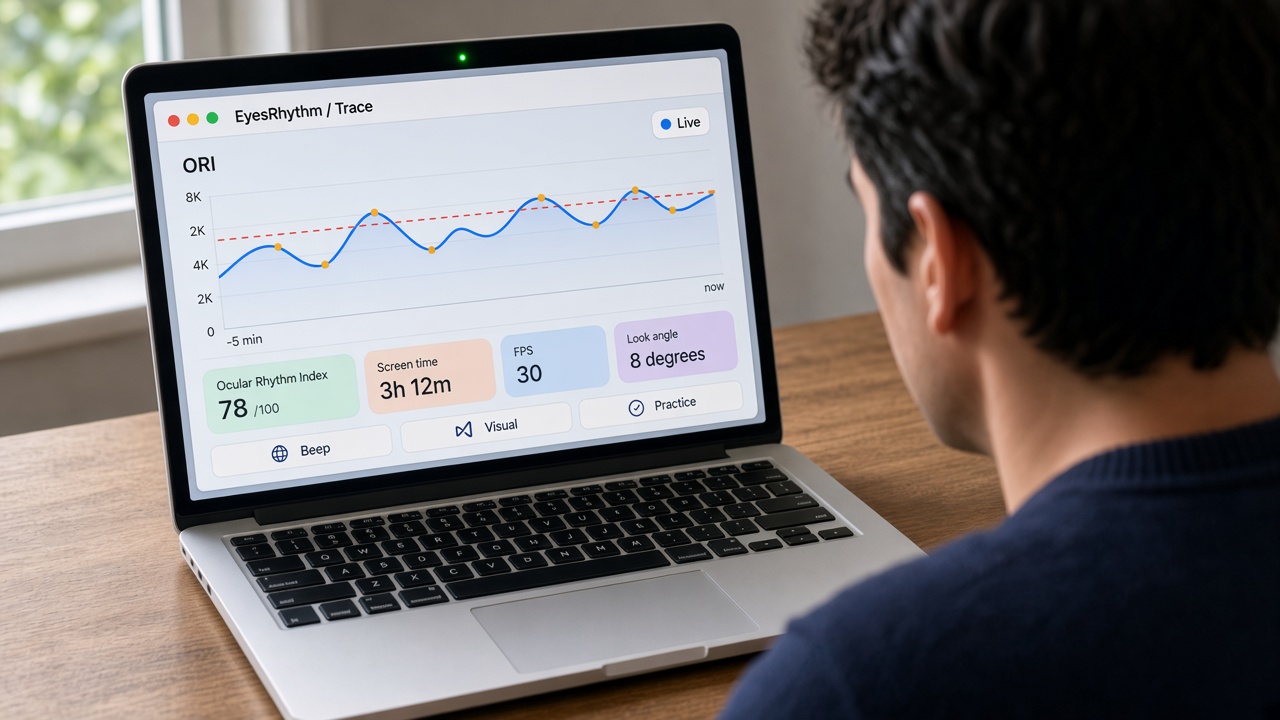
How EyesRhythm helps
EyesRhythm is a blink rate detector for long screen days.
It is designed for people who spend much of their working day at a computer and want to become more aware of their blinking habits.
The app uses your computer’s webcam to track your blink rate while you work. It does not require you to stop what you are doing or move away from your desk. Instead, it stays beside your work in a compact window, helping you notice your blinking without becoming another distraction.
It looks beyond the blink count
A blink count alone does not tell the whole story.
Six blinks can arrive in a short burst, followed by a long period without one. Another person may blink fewer times but more evenly.
EyesRhythm brings rate and regularity together in its Ocular Rhythm Index (ORI), a score from 0 to 100 that helps you understand your blink rhythm during screen work.
The idea is simple: not just how often you blink, but how steadily you blink.
It watches quietly while you work
EyesRhythm shows your live blink cadence in a compact window.
You can see your ORI, screen time and other tracking information while continuing with your work. The app can also provide a gentle visual alert or an optional sound when your blink rhythm falls below your configured threshold.
The goal is not to interrupt your concentration. It is to help you become aware of what your eyes may be doing while you concentrate.
It helps you practise
EyesRhythm also includes a two-minute guided practice session.
The idea is to make the habit easier to feel, rather than simply telling you to blink more. With regular practice, the aim is to build awareness of a healthier blinking rhythm during screen work.
It respects your privacy
EyesRhythm is designed to work locally on your computer.
After license registration, the app works offline. Camera frames stay on your machine, and the app does not upload or keep a film of your face. Your daily totals and preferences remain in a local folder.
For an app that works with a camera, that is an important part of the design.
A better way to think about screen breaks
The goal is not to avoid screens. For many people, that is simply not realistic.
The goal is to make screen work less demanding on the eyes.
Take short breaks. Look away from the screen. Pay attention to blinking. Adjust your workstation if needed.
And if you spend most of your day at a computer, consider making eye awareness part of your work routine.
EyesRhythm is built around that idea: a small, quiet companion that helps you notice your blinking while you work.

Your eyes deserve attention too
The modern workplace asks the eyes to do something they were not designed to do continuously: remain focused on a near task for hours, often with fewer complete blinks.
The answer is not to stop working.
It is to understand how work affects the eyes—and to build better habits around the way we use screens.
Your eyes are part of your working system. They deserve the same attention you give to your posture, your chair and your productivity.
A note about eye health
EyesRhythm is a wellness companion, not a medical device. It does not diagnose, treat or prevent dry eye disease.
If you experience persistent dryness, pain, blurred vision or other eye symptoms, consult a qualified eye-care professional.
References
- Digital Screen Use and Dry Eye: A Review. Review of the relationship between digital screen use, blinking and dry-eye symptoms.
- EyesRhythm. Blink rate detector for Mac and Windows, features and privacy.
Related reading: Blink rate detector · Why screens cut your blink rate · Why the blink count is not enough · Set up your camera so blinks count